Showing posts with label utilities. Show all posts

Monday, September 15, 2008

Where To?

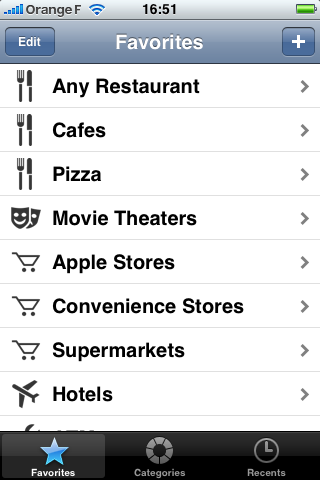
Where To? is a nifty little Application which is aimed to help you
find fast different Points of Interest near you. Are you looking for a near Restaurant? Or do you want to find fast the next car mechanic? This Application helps find it for you.
IMG_0001.PNG


First I was a little bit sceptic about this Application, due the fact that it is optimized for english language which means for the U.S. and GB.

So, I checked using it in France and in Germany to see if it is also working in not native english speaking countries.

For most of the entries searched, I found something, which was a result expected. In fact, the biggest problem in Europe is that most Businesses aren't on Googlemaps so the Application can not find them.


Overall, in 90% of searches I found Businesses near to me (not all due to the lack of Business applying to the Google Business Service) but it was still a great experience. The App is well designed and very functional in what it does.

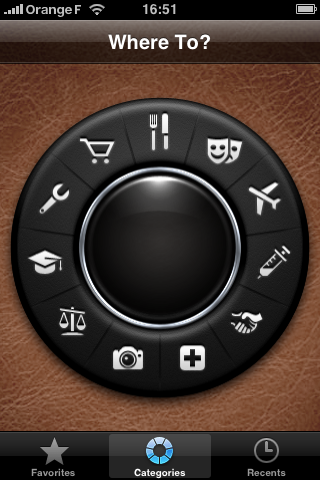
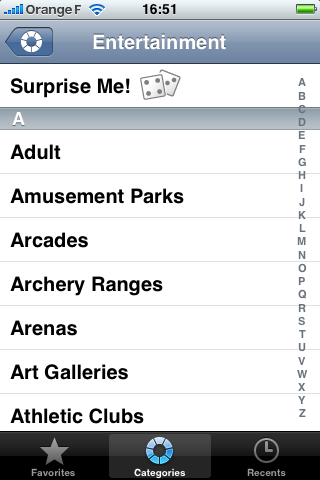
Some examples of possible searches:
IMG_0002.PNG


IMG_0003.PNG


After selecting what you want to search for (in my testing case Restaurants) you will have the second screen coming up where you can select for example if you want to search near you or near a contact (if you are invited to some friends you can already start looking what's next to them to go out).
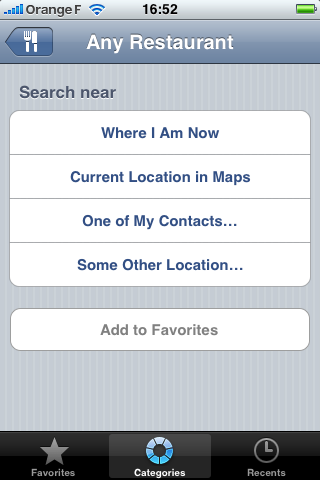
IMG_0006.PNG


In my case I chose "Where I Am Now" and after selecting this option, Google Maps opened and showed me the results:
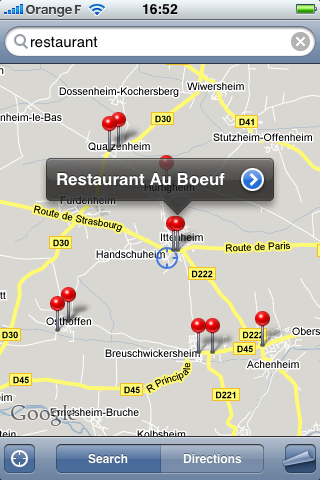
IMG_0007.PNG


Overall, this little Application is well crafted (made by Sophia Teutschler - the same woman making CoverSutra a nifty iTunes Controller for Mac) and sure people might tend to say that they can enter those search words themselves into Google Maps, but I see this Application as nice Front End to Google Maps. It is well made with nice Graphics and I really love the "Surprise Me" function which randomly searches for you (funny results are expected).

It's priced at 2,39 Euro and can be downloaded via the iTunes Store.

I really would like to see more polished Apps like this one in the iTunes Store but sadly there are more and more worthless Apps popping up.

Anyway give this Application a try, it is the most convenient way of searching Points of Interest available on the iPhone.

Sunday, July 27, 2008

Twinkle - THE Twitter Client for Mac

As many people are currently using Twitter to stay in touch with
friends, or just to brabble stuff on the internets, I considered
testing Twinkle, another Application from Tapulous.

IMG_0002

After creating an account (this has to be done via internet
on the Twitter Homepage) and installing Twinkle on my iPhone,
I was ready to go.

No, wait: Twinkle urges you also to create a Tapulous ID
(which you might already have, when you installed Tap Tap Revenge).

The reason is: In case that the Twitter Service is down (due to outage) 
you could still post your messages and also, 
this service from Tapulous is providing the storage for your pictures
you attach to your messages.
Additionally it serves for the purpose of the “near location messages”.

The first thing I noticed was that the Application is well polished
graphically.

My first tests were a little bit disappointing (with Version 1.0)
due the fact that the message postage lagged a little bit while writing
and also due to some problems Tapulous had with their S3 Servers.

IMG_0003

Those things are fixed in the latest Version 1.1 which can be
downloaded over at the iTunes Store.

The Display of the messages is clean and clear,
yellow bubbles for the people you follow, blue ones for your posts.
The “proximity” function is pretty neat and a great feature of this App.
Due to location services (same used as for Google Maps Application)
you can select to see Messages by people near to you. 
A very interesting function which gives Twinkle a real advantage
over Twitterific for iPhone.

IMG_0001

And last but not least, it is important to note that this application
is completely free, so when you are already and avid Twitter Service user,
you might give Twinkle a chance and try it out before purchasing
the Twitterific Premium Software - I personally consider the free
Twitterific Application ad-ware.

You maybe will not pay the Application, but getting “Adds” on it is
kind of disturbing.

I can guarantee if you like using Twitter you will enjoy doing
your Twittering on your iPhone through Twinkle.

Definitely an Application worthy to be installed on the iPhone.